builderGA Terredyme product
Start a build

How it works

One line in. A whole job out.

Describe what you want to build. builderG asks a few questions, then writes the materials list, finds the actual products with prices, works out the cost and plans the build — in about a minute.

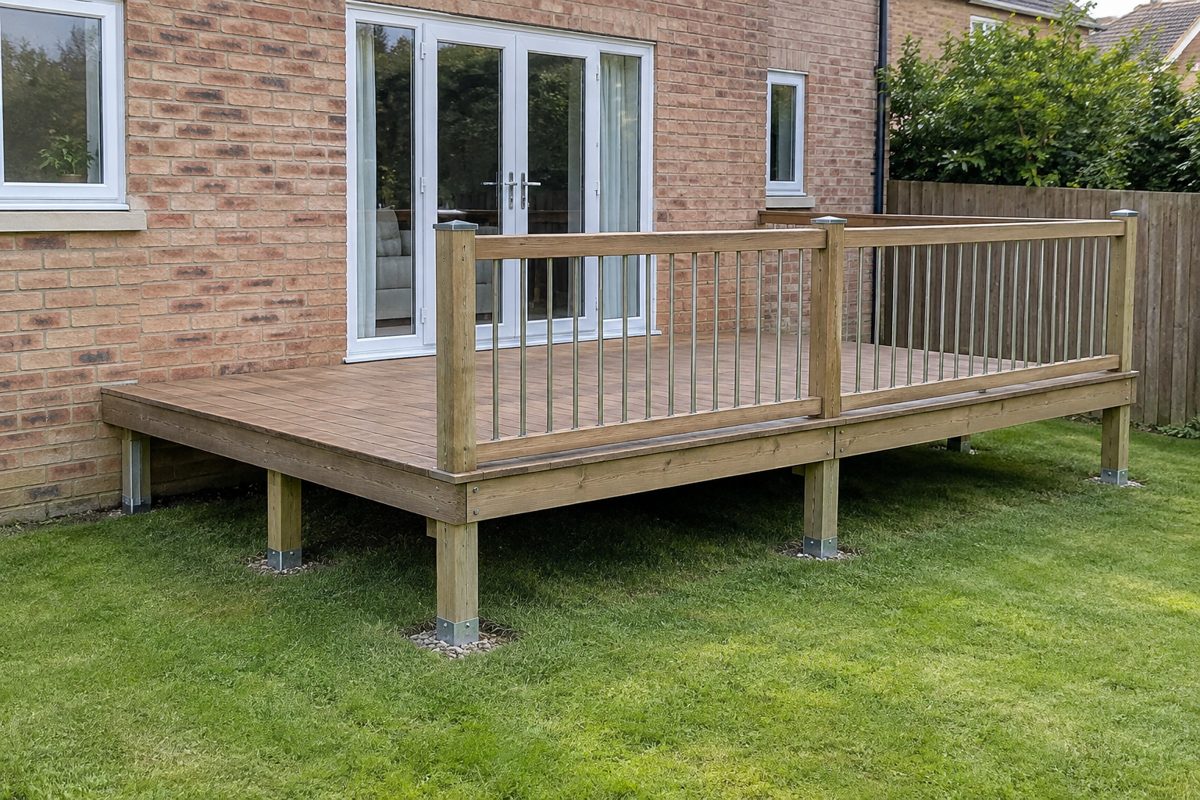
Raised timber deck 4.0m x 3.0m, 45cm high, balustrade on two sides
From one line: “Build a 4m x 3m raised timber deck off the back door, about 45cm above a lawn, with a balustrade on two sides.”
1line typed
47materials, with products
£2,694costed at the top picks
18build steps
~60sstart to finish

Four steps, start to finish

  1. 1
    Say what you're building

    One line is enough. “A 4m × 3m raised deck off the back door.” No trade terms needed.

    Pick how deep to go: Quick (5 questions), Standard (10) or Thorough (15).

  2. 2
    Answer a few questions

    One at a time, with suggested answers to tap. Not sure? Tap “You decide” and builderG makes a professional assumption — and tells you what it assumed.

    A progress bar shows how many are left.

  3. 3
    Press generate once

    About a minute later the whole job is worked out. Nothing else to click.

    Materials, products, costs and a picture all arrive together.

  4. 4
    Take it to the merchant

    Download the PDF — materials with pictures, the products to buy, the costs and the build guide — or work from your phone in the aisle.

    Everything is saved under My builds.

What you get

Materials

A list you can actually shop

  • Grouped in build order: groundworks, structure, finishes, fixings
  • Quantities worked out from your dimensions, with waste allowance
  • Up to three real products per material — top pick, price and link
  • Tools and safety gear listed apart, because you may own them
Cost

What it costs, three ways

  • Budget, Recommended and Premium totals from the matched products
  • Where to save, where not to skimp, what to double-check
  • Tools and safety gear added only if you tick them
  • Recalculate any time you change the list
Build guide

How to build it, step by step

  • Phases in the order a tradesperson would work
  • Each step: what to do, the materials and tools it uses, how long it takes
  • A “check before you move on” line — level, square, cure time
  • Tick steps off as you go; the guide remembers

Plus a picture of the finished result — generated from your list, or from a photo of the space so you can see the before and after.

Got it wrong? Say so.

“Actually the span is 3.6m”

Carry on the conversation and press Regenerate. Materials that did not change keep their products, so it takes seconds. Every version is kept.

Don’t need something?

Remove any material with ×, and the products and costs update with it.

Rather get a pro in?

Every build suggests the trades it needs, with tradespeople you can call.

Where builderG can be wrong

It cannot see your site

Ground conditions, existing structure, damp, buried services — it only knows what you tell it.

It does not do structural calculations

Spans, loadings and foundations need a qualified professional.

It does not know your building regulations

It flags when something likely needs approval — flagging is not advice.

Prices drift

They come from the last catalogue refresh, not live stock.

A confident match can still be wrong

Check the specification on the retailer’s page before buying.

Pictures are an impression

Checked against your spec, but not drawings to build from.

builderG is a well-reasoned starting point, not a signed-off specification. Always consult a qualified professional before purchasing materials or starting work — particularly for anything structural, electrical, gas, or subject to building regulations.

Try it on your own build

Two builds a month are free. No card, no app store.

Report an issue